Craft your mograph. Automate the versions.
Powering workflows @
Get back to the work that actually needs you.
Let Templater handle the versioning.It's native to AE.
FAMILIAR TO YOUR WORKFLOW

Customize anything in your composition.
EVERY LAYER IS DYNAMIC
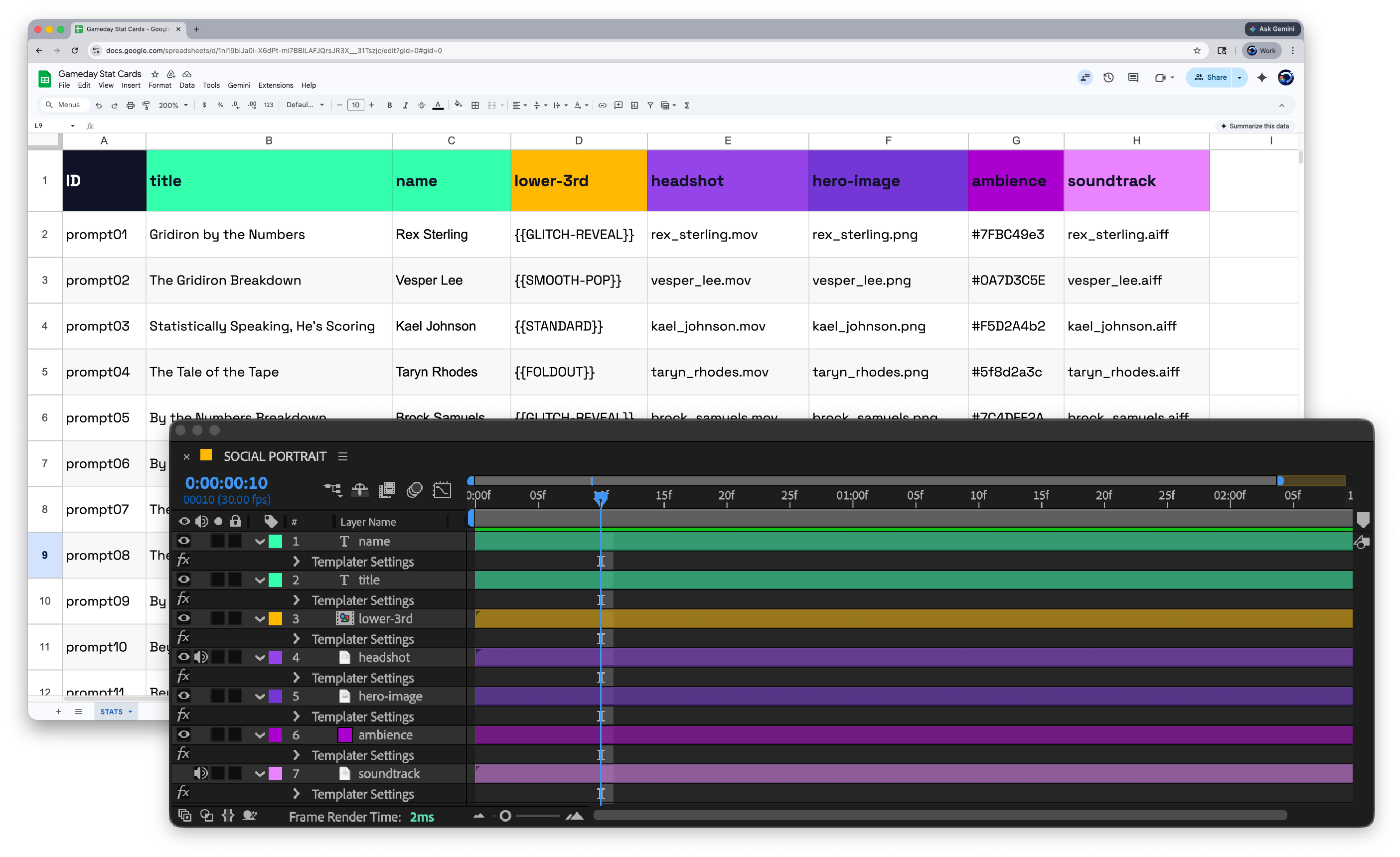
Connect the data sources you already use.
WORKS WITH YOUR DATA

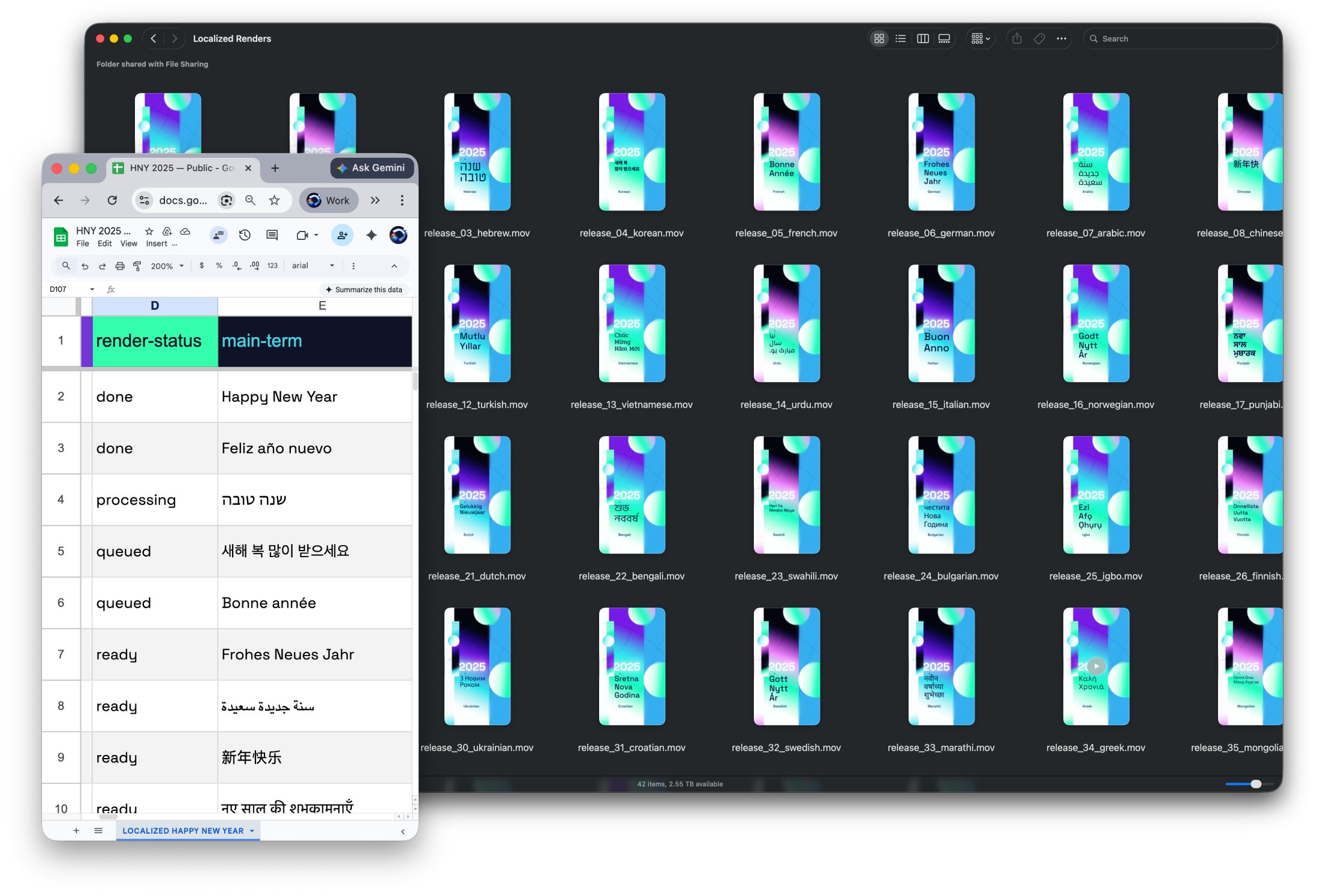
Batch render while you focus on the next project.
SET IT AND LET IT RUN
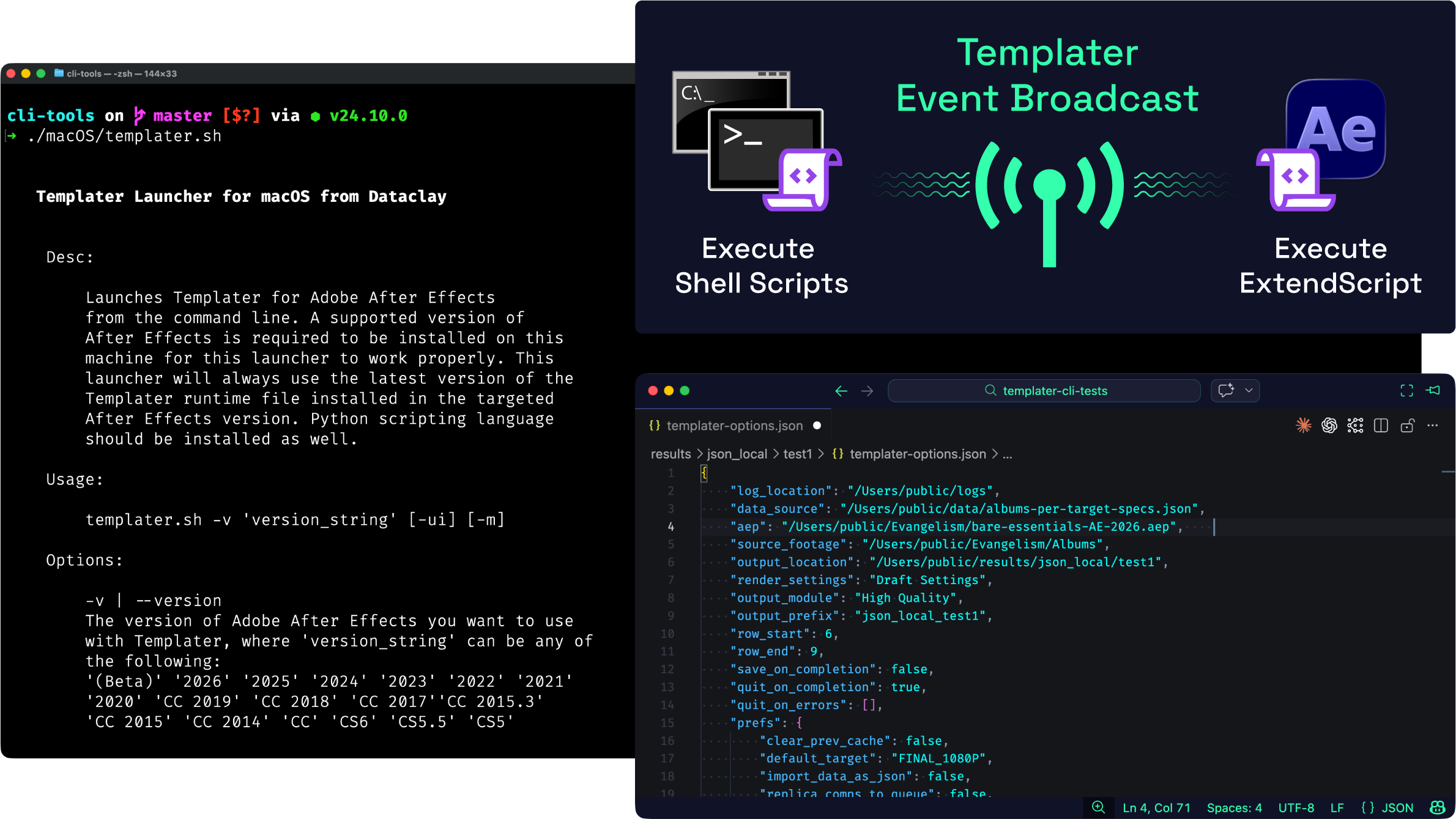
Powerful enough to integrate into any system.
BUILT FOR PRODUCTION PIPELINES
Templater Editions
Rig
Set up your After Effects project for data-driven content. Map data to composition layers, preview how each variation will look, and iterate on your template design before anything renders.
Rig is perfect when...
- You’re building and testing the template that your team will use for production runs
- You need to prepare a project file for a colleague running Pro or Bot on another machine
- You want to package a Templater-compatible AE project for distribution to clients or partners
Pro
Everything in Rig, plus batch production. Render, replicate, and spot check entire sets of versioned compositions from your data source in a single run.
Pro is perfect when...
- Your campaign requires fast turnaround on a large batch of unique videos driven by client data
- Multiple artists on your team need to work on different variations of the same master composition simultaneously
- You have a finalized template and a dataset ready to go, and you need to produce all the output in one pass
Bot
Everything in Rig and Pro, plus full automation. Bot watches your data source for new entries and triggers renders automatically, or accepts jobs through the command line.
Bot is perfect when...
- Your pipeline needs to produce videos on demand with no manual intervention
- Your development team requires CLI access to integrate video rendering into an existing system
- You’re building a web or mobile application that generates personalized video from end-user input
Dataclay users speak
- Ben Forman, Sr. Product Manager, Amazon Alexa Video
Templater has changed the way I think about video. In a past life I would spend hours generating a single video. Now I spend mere seconds generating hundreds of videos. This mental and strategic shift has led to an exponential increase in my team’s content output.

- Robert Paige, Creative Director, Instacart
If it weren't for Dataclay's amazing product, I wouldn't be able to render 1000 videos a week. Not only is their product the best out there, but the automation and simplicity of Templater is top quality. If there was a "required" software for any After Effects user, this would be it.




Try the full Bot edition free for 30 days.
The trial gives you access to every feature across all three editions. Prepare a template, connect your data to a comp, and run a real batch to see the results for yourself. If it saves you the time you think it will, you'll have everything you need to make the case to your team.Compare Editions
Rig
Pro
Bot
Map your spreadsheet or JSON data directly into AE composition layers. Use Google Sheets in the cloud or tabbed-separated-value files exported from Microsoft Excel, Apple Numbers, or Google Sheets. You can also use a plain text file containing a JSON object array exported from your own app
Footage sources for your dynamic layers in your AE project can come from local or cloud-based resources.
When updating an AE composition with your data, Templater intelligently adjusts dynamic layers relative to their containing composition and other sibling layers. No need to futz with aligning, scaling, or positioning dynamic layers—let Templater craft your composition according to your layout rules.
Use time-based rules to crop, trim, shift, and stretch layers using Templater’s patented Time Sculpting feature. There’s no need to worry about integrating footage sources of varying duration into a video template. Now Templater can maintain the design integrity of your video while processing footage of different lengths.
Insert characters from any language into your spreadsheet and see them appear in your text layers. Of course, installed fonts should have the glyphs you require. Templater reads your text as it appears in your spreadsheet, so commas, quotes, apostrophes, and new lines are accepted. Right-to-left scripts are also supported.
Use project file presets to store the Data source, Footage folder, and Output folder references within your After Effects project template file for easy reuse.
With a click of a button, preview how your data-driven compositions will look prior to rendering or replicating. Iterate through previews of your render jobs to see how Templater treats different text, footage, and colors. Resolve problematic data quickly and effectively.
Want to know what Templater is doing at any given time? Inspect its log files for full transparency. Troubleshooting Templater has never been easier.
Templater can quickly re-version a master composition with your data and replicate it so you can work your mograph magic on it before rendering. Replicated comps are kept tidy and organized within a clean folder structure. You also have the option to send replicated comps to AE’s render queue or the Adobe Media Encoder.
With a click of a button, preview how your data-driven compositions will look prior to rendering or replicating. Iterate through previews of your render jobs to see how Templater treats different text, footage, and colors. Resolve problematic data quickly and effectively.
Send a batch of replicated compositions to Adobe Media Encoder to render.
Set a custom output file name for each render job or replicated comp from within your data source.
If you have two or more template project files that need to make use of the same data, switch between AE project templates on a per-row basis within the same data source.
Run shell scripts or use the Templater API to create and run ExtendScripts. These scripts listen for events that Templater broadcasts and hook into Templater’s processes allowing you to extend its automation capability.
Engage with Templater processes through shell commands. With the command line interface (CLI), developers have unparalleled flexibility for integrating video versioning within their existing pipelines or systems. Most controls found in the Templater panel are configurable via a command line options file.
The Bot for Templater operates After Effects for you. When The Bot finds new data, it triggers Templater’s customization and rendering process. Developers can create web or mobile apps that feed data into Templater’s data source, offering a collaborative, custom video content creation solution.
Use The Bot for Templater to automatically replicate or render data sets of a significant size.
